reservationdestination

Local Network TV Advertising For Business & Services

Elevate your brand presence with Reservation Destination’s Local TV advertising network. Your message plays continuously on high-traffic screens throughout the area, capturing attention where impressions matter most.
Bring Your Own TV ($20.0/Month)

- Use your own in-house TV

- Display ads to local customers

- Great for businesses with existing screens

Full Service ($50.0/Month)

- Your Ad played across our entire local network

- No need to buy or set up any equipment

- Ideal for Service based business or location without public TV

Choose Your Plan & Get started

We offer two simple options based on whether you have your own or not:

Bring Your own TV – $20/month

Already have a TV installed at your location? Great! This plan is for you.

just click the button below and fill out the form with:

  • Your Business details (name, address, phone number, email)
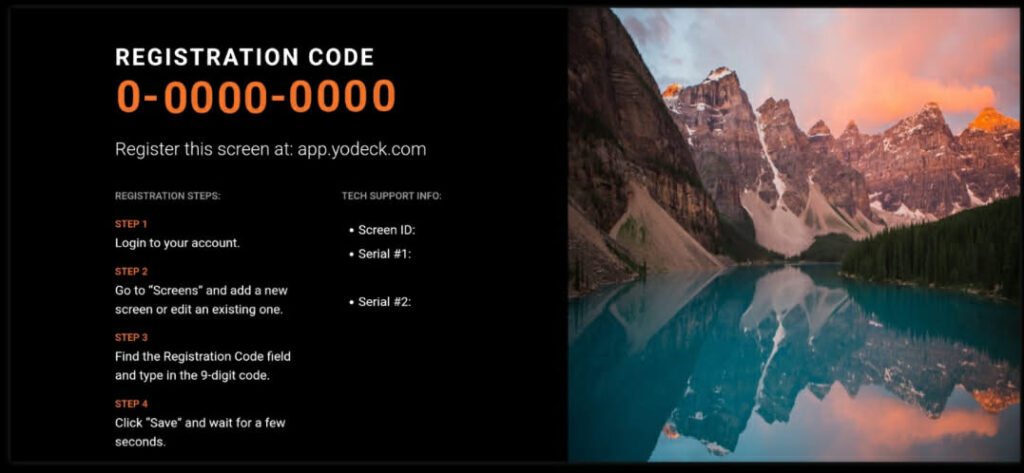
  • The registered code from the YODECK app on your TV
  • Your commercial or graphics ad.

Once you submit the form and payments, we’ll get your ad running on your own screen in no time!

Ad-Only Network Plan – $50/month

No TV? No problem. We’ll display your ad across our network of screen in other local businesses.

Click the button below and complete the form with:

  • Your business details (name, address, phone number, email)
  • Your Commercial or graphics ad
  • (No code needed)

We’ll handle the rest – your ad will be seen around town.

How it Works

Step-by-Step Guide for Setting Up Your TV Ad:

Option : Full Service ($50/month)

  1. Prepare your ad
  2. You’ll need either a video commercial or a still graphic.
  3. Click the $50 Plan Button
  4. You’ll be taken to a form with this plan pre-selected.
  5. Fill out the form
  • Business name, address, phone, and email
  • Upload your commercial or graphics ad
  • (No code or TV required!)

6. Submit your payment

7. Your ad will be scheduled and display on screens around the area.

Option 2: Bring Your Own TV ($20/month)

Perfect if you already have a TV at your location and want to run ads directly in your store.

Step-by-Step:

  • Make sure your TV is compatible
  • Must be a Google TV or Amazon Fire TV.
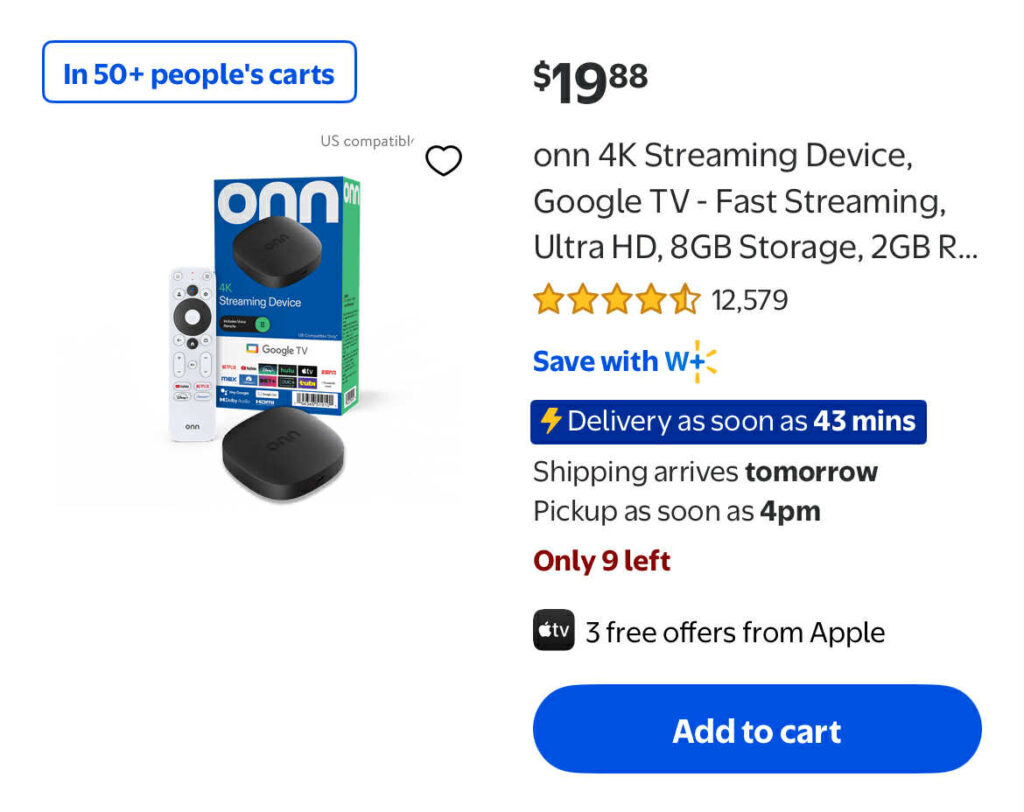
  • (If not, you can grab a $20 Google streaming stick from Walmart.)
  • Download the YODECK app on your TV
  • This is the software we use to broadcast your ad.
  • Get your YODECK registered code
  • Once the app is installed, it will show you a code on the screen.
  • Click the $20 Plan Button
  • You’ll be taken to a form with this plan pre-selected.
  • Fill out the form
  • Business name, address, phone, and email
  • YODECK Code
  • Upload your commercial or graphic ad 
  • Submit your payment
  • That’s it! We’ll take care of the setup and your ad will start running on your TV.
Amazon Fire TV icon